
How to buy a 5 letter domain comes down to four disciplined moves: valuation, verification, negotiation through escrow, and a clean registrar transfer. Skip any one of these, and buyers routinely overpay, lose a deposit to an unverified seller, or inherit a trademark dispute they never saw coming. This guide walks through every stage of that process, in the exact order a professional domain buyer would follow it, so nothing gets missed.
Five-letter domains sit in an unusual sweet spot. They are short enough to feel premium, yet long enough to spell an actual word or a brandable, pronounceable name. That scarcity is precisely why the acquisition process needs more rigor than picking a random “.com” off a registrar’s suggestion list. If you are shopping this category through a specialist marketplace such as AUFIC’s curated collection of 5-letter domain names, the fundamentals below still apply, since every serious buyer benefits from understanding valuation and transfer mechanics before money changes hands.
What Exactly Is a 5-Letter Domain, and Why Does the Buying Process Differ?
A 5-letter domain is a web address whose second-level name (the part before the extension, such as “.com” or “.io”) contains exactly five characters, for example “aufic.com” or “brisk.io.” Because the pool of available five-character combinations is mathematically finite, and a large share of it was registered decades ago, most transactions now happen on the aftermarket rather than through a standard registrar search.
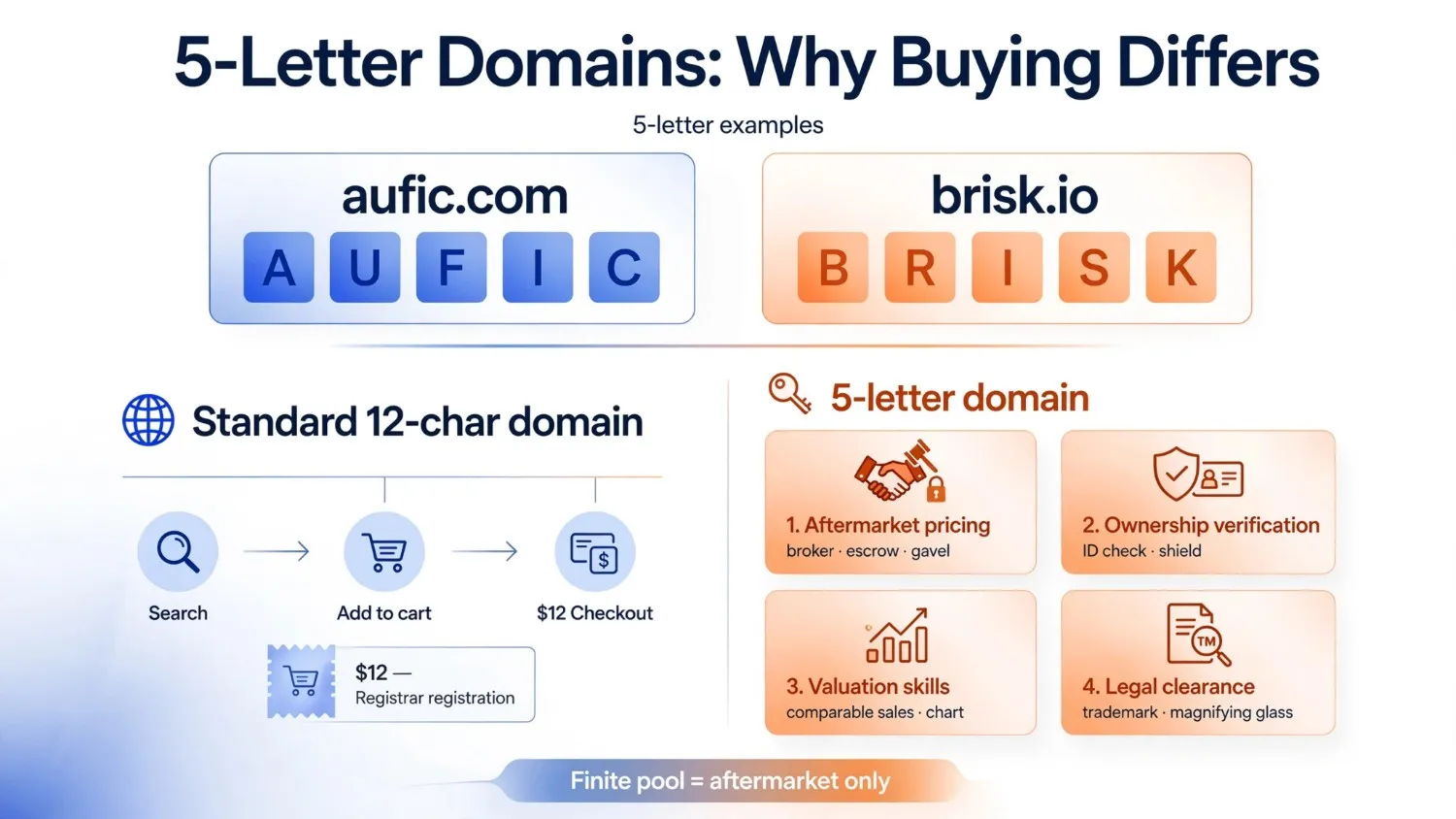
That single fact changes everything about how to buy a 5 letter domain compared with, say, a 12-character domain:
- Aftermarket pricing, not registrar pricing, applies. Expect broker fees, escrow costs, and negotiated sale prices rather than a flat $12 annual renewal.
- Ownership verification becomes critical, since you are buying from a private party, not registering something fresh.
- Valuation skills matter more, because comparable sales data, not a fixed price list, determines fair value.
- Legal clearance deserves extra attention, since a short, dictionary-adjacent name is more likely to overlap with an existing trademark.
Quick Answer: The 9-Step Process at a Glance
For readers who want the short version before the full walkthrough, here is the complete sequence:
- Define your brand and naming criteria.
- Search live availability and aftermarket listings.
- Run a trademark and legal clearance check.
- Valuate the domain using comparable sales data.
- Contact the seller or broker and open negotiations.
- Agree on terms and move funds into escrow.
- Confirm the authorization/EPP code and initiate transfer.
- Complete the registrar-to-registrar transfer and update DNS.
- Verify ownership records and file your post-purchase checklist.
Each step is expanded in full detail below, because skipping the “boring” middle steps, particularly escrow and trademark clearance, is where most buyers get burned.
Step 1: Define Your Brand and Naming Criteria Before You Search
Before opening a single marketplace tab, decide what actually qualifies as a fit. Buyers who skip this step tend to fall in love with the first available name and overpay for something that does not serve the brand long-term.
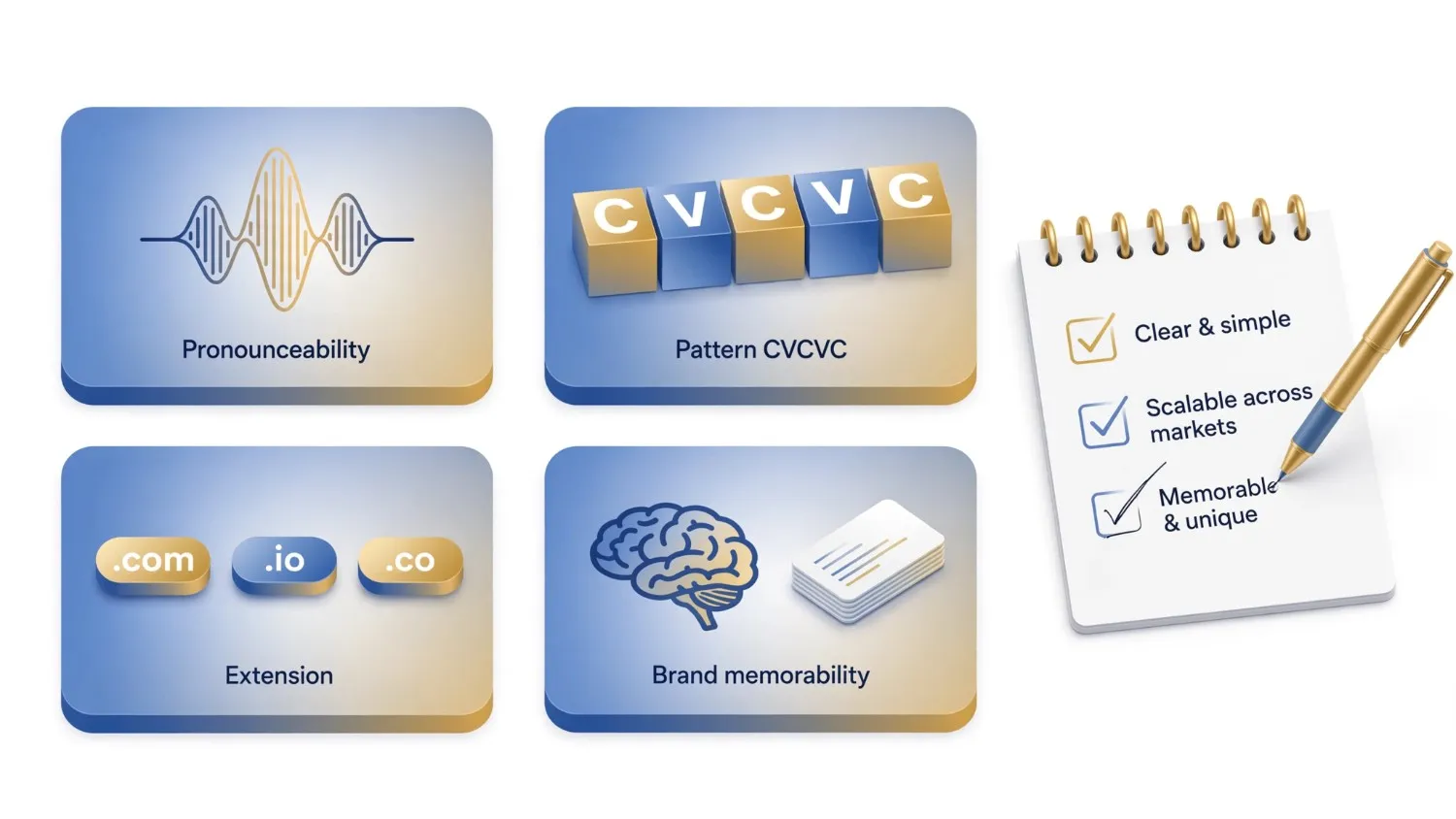
Set criteria across these dimensions:
Pronounceability
Can someone hear it once and spell it correctly? Names that follow a phonetic value structure transfer better into radio, podcasts, and voice search.
Pattern
Many buyers specifically target a CVCVC structure (consonant-vowel-consonant-vowel-consonant), since it is the most naturally pronounceable five-letter shape in English.
Extension
Decide upfront whether “.com” is non-negotiable or whether “.io,” “.co,” or a country-code extension is acceptable.
Brand memorability
Review naming rules built around memorability so the name still works once it is on a business card, not just in a spreadsheet.
Writing these criteria down first means every later step, especially valuation and negotiation, has a clear reference point instead of shifting goalposts.
Step 2: Search Live Availability and Aftermarket Listings
With criteria locked, move to actual search. Five-letter domains rarely turn up “available” through a standard registrar, since most desirable combinations were claimed years ago. Instead, buyers work three channels simultaneously:
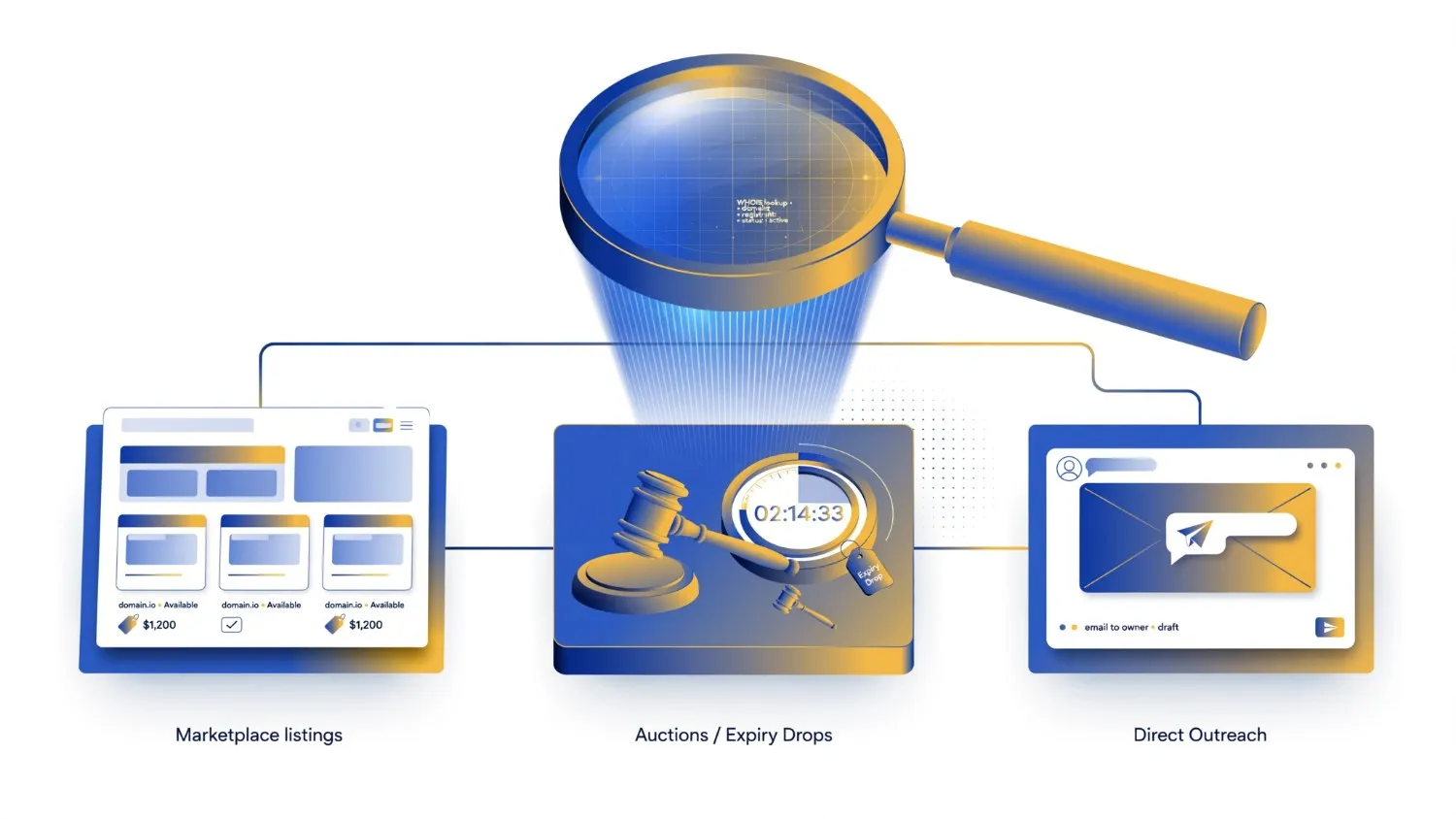
- Marketplace listings: Curated inventories that pre-vet ownership and pricing, useful for buyers who want a shorter path from search to purchase.
- Domain auctions and expiry drops: Names that lapse and re-enter circulation, though these move fast and require monitoring tools.
- Direct outreach to current owners: For a name that is registered but not listed for sale, a polite, professional inquiry sometimes opens a negotiation the owner had not previously considered.
Consequently, serious buyers rarely rely on a single source. Cross-checking a name across a marketplace, a WHOIS lookup, and a direct message to the registrant gives a fuller picture of whether it is genuinely obtainable and at what rough price band.
Step 3: Run a Trademark and Legal Clearance Check
This is the step most first-time buyers skip, and it is the one that causes the most expensive regret. Before committing to any five-letter name, confirm it does not collide with an existing registered trademark in your target market or industry.
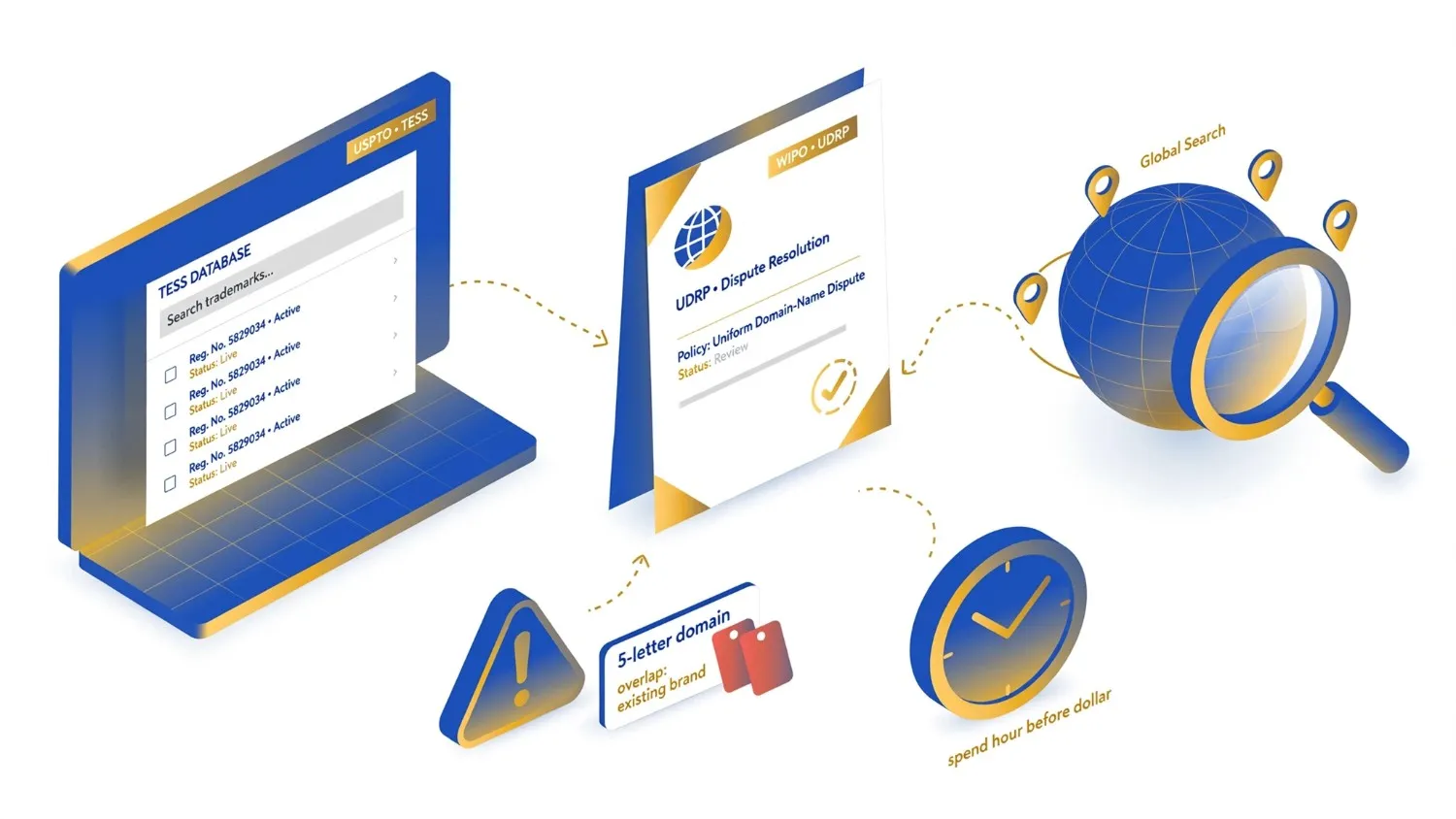
A basic clearance process includes:
- Searching the USPTO’s Trademark Electronic Search System if you plan to operate primarily in the United States.
- Reviewing WIPO’s guidance on domain name dispute resolution under the UDRP to understand how ownership disputes are typically resolved.
- Running a broader global trademark search if the brand will operate internationally, since a name clear in one jurisdiction may not be clear in another.
Because five-letter names are short, they overlap more frequently with existing brand names than longer, more distinctive strings do. Spending an hour here before you spend a dollar on the domain itself is simply cheaper than litigating a dispute later.
Step 4: Valuate the Domain Using Comparable Sales Data
Once a name clears legal review, the next question is price. Aftermarket five-letter domains do not have a fixed retail cost, so valuation depends on comparable sales, extension, and brandability. A detailed breakdown of how 5-letter domain pricing typically ranges is useful reading before you make an offer, since it shows how factors like pronounceability, extension, and existing search demand shift the number substantially.
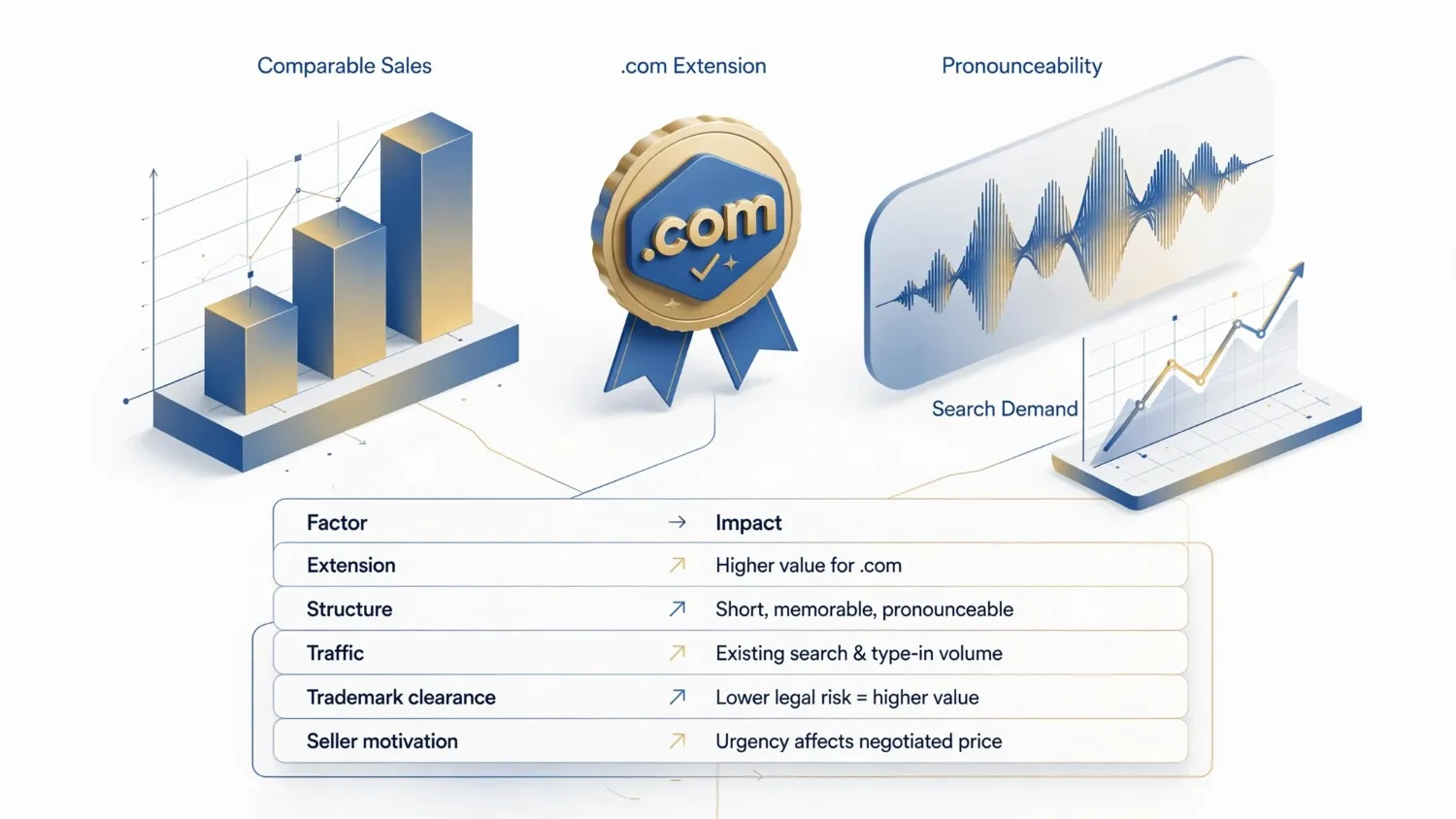
Comparison Table: What Moves a 5-Letter Domain’s Price
| Factor | Lower Price Range | Higher Price Range |
|---|---|---|
| Extension | Country-code or less common TLD | .com |
| Structure | Consonant clusters, hard to pronounce | CVCVC, phonetically clean |
| Existing traffic/backlinks | None, freshly registered | Established history, referral traffic |
| Trademark clearance | Overlaps with existing brands | Fully clear across major markets |
| Seller motivation | Highly motivated, quick sale | Long-term holder, no urgency |
Treat this table as a starting framework, not a fixed calculator. Two names with identical letter counts can differ in price by a wide margin once pronounceability and clearance are factored in.
Step 5: Contact the Seller or Broker and Open Negotiations
With a target price range in mind, initiate contact. If the domain sits on a marketplace, this usually means submitting an offer through the platform’s messaging system. If you found the registrant through WHOIS or direct outreach, a short, professional email works best.
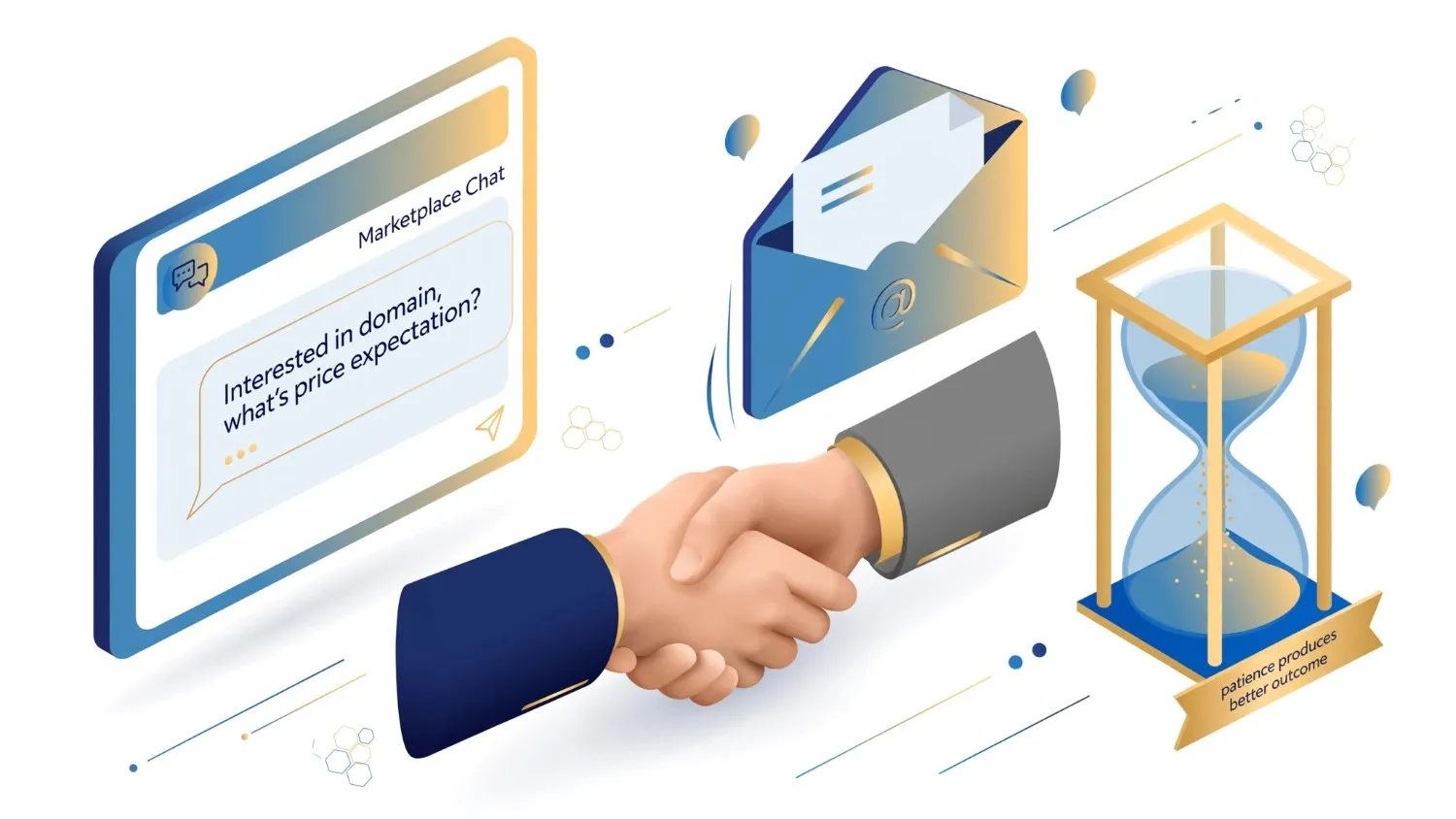
A good opening message typically:
- States your interest plainly, without disclosing your maximum budget.
- Asks whether the domain is for sale and, if so, at what price expectation.
- Avoids revealing your intended brand or business plan in detail, since this can shift a seller’s price expectations upward.
Negotiation on short domains tends to be slower than on generic longer domains, simply because sellers know scarcity works in their favor. Patience during this stage often produces a better outcome than an aggressive first offer.
Step 6: Agree on Terms and Move Funds Into Escrow
This is the single most important safety step in the entire transaction. Never wire funds directly to a seller you have not verified, and never release a domain before funds have cleared.
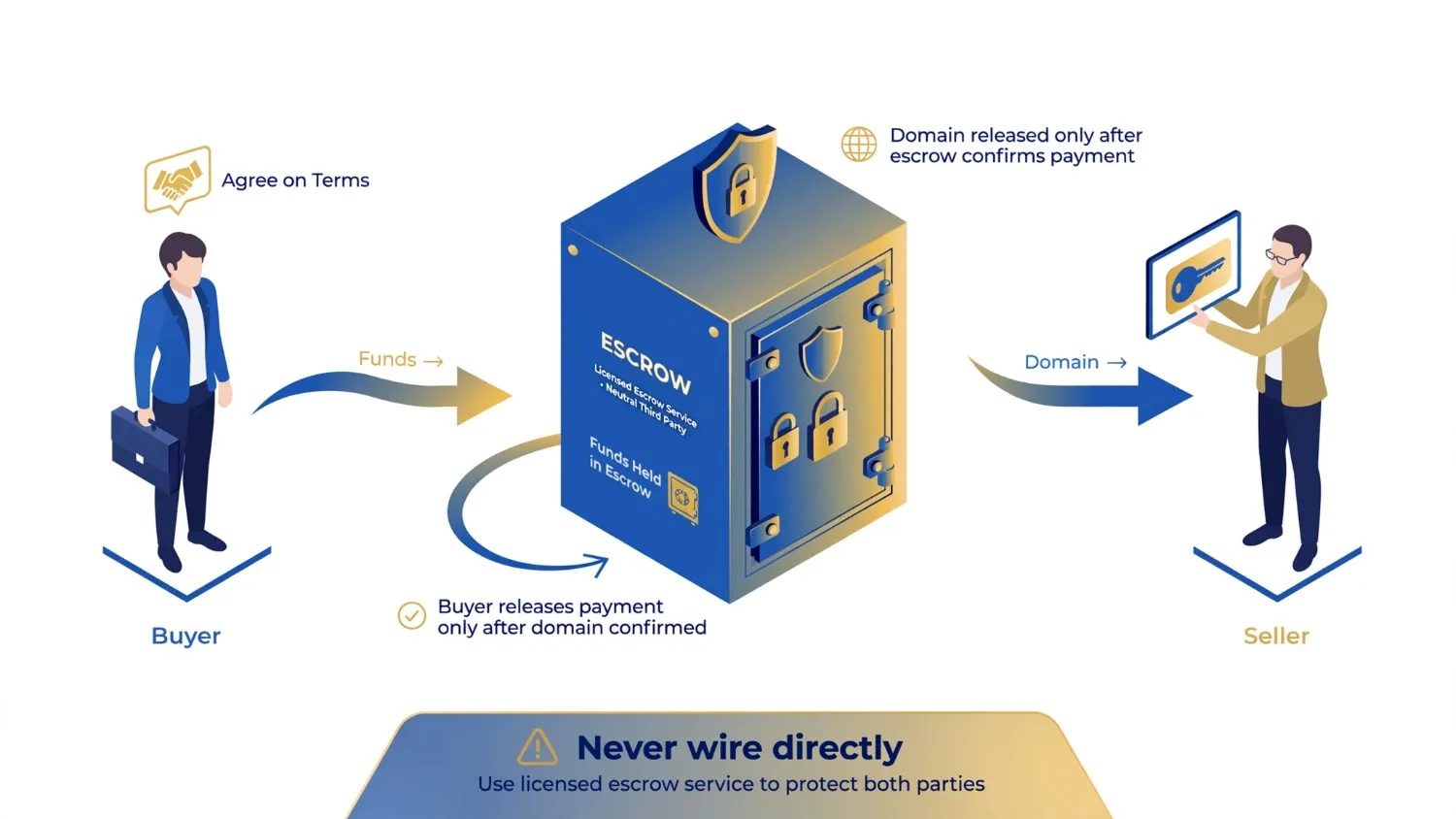
Use a licensed escrow service so that:
- Funds are held by a neutral third party until both sides confirm the transfer is complete.
- The seller only releases the domain once the escrow company confirms payment.
- The buyer only releases payment once the domain is confirmed in their account.
Marketplaces that specialize in premium domains, including short five-letter names, typically build escrow directly into the checkout flow, which removes much of the manual coordination buyers would otherwise need to arrange themselves.
Step 7: Confirm the Authorization Code and Initiate Transfer
Once escrow confirms funds are secured, the seller provides an authorization code, sometimes called an EPP code or transfer key. This code unlocks the domain for a registrar-to-registrar transfer.
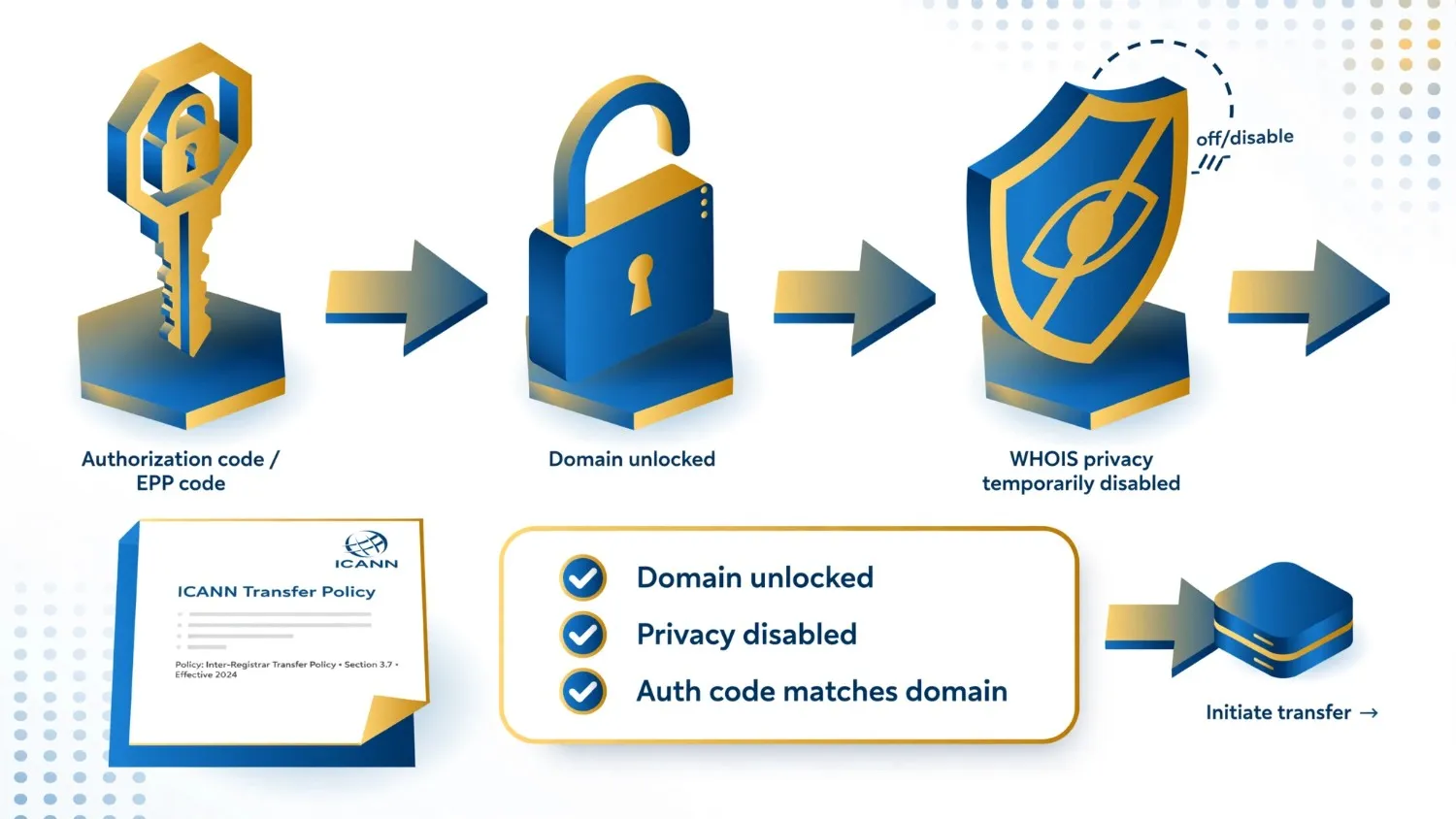
At this stage:
- Confirm the domain is unlocked at the current registrar (a locked domain cannot be transferred).
- Confirm WHOIS privacy is temporarily disabled if required by your registrar’s transfer verification process.
- Request the exact authorization code and double-check it matches the domain in question.
ICANN’s transfer policy sets the baseline rules every registrar must follow during this process, including mandatory verification emails to both the losing and gaining registrant.
Step 8: Complete the Registrar-to-Registrar Transfer and Update DNS
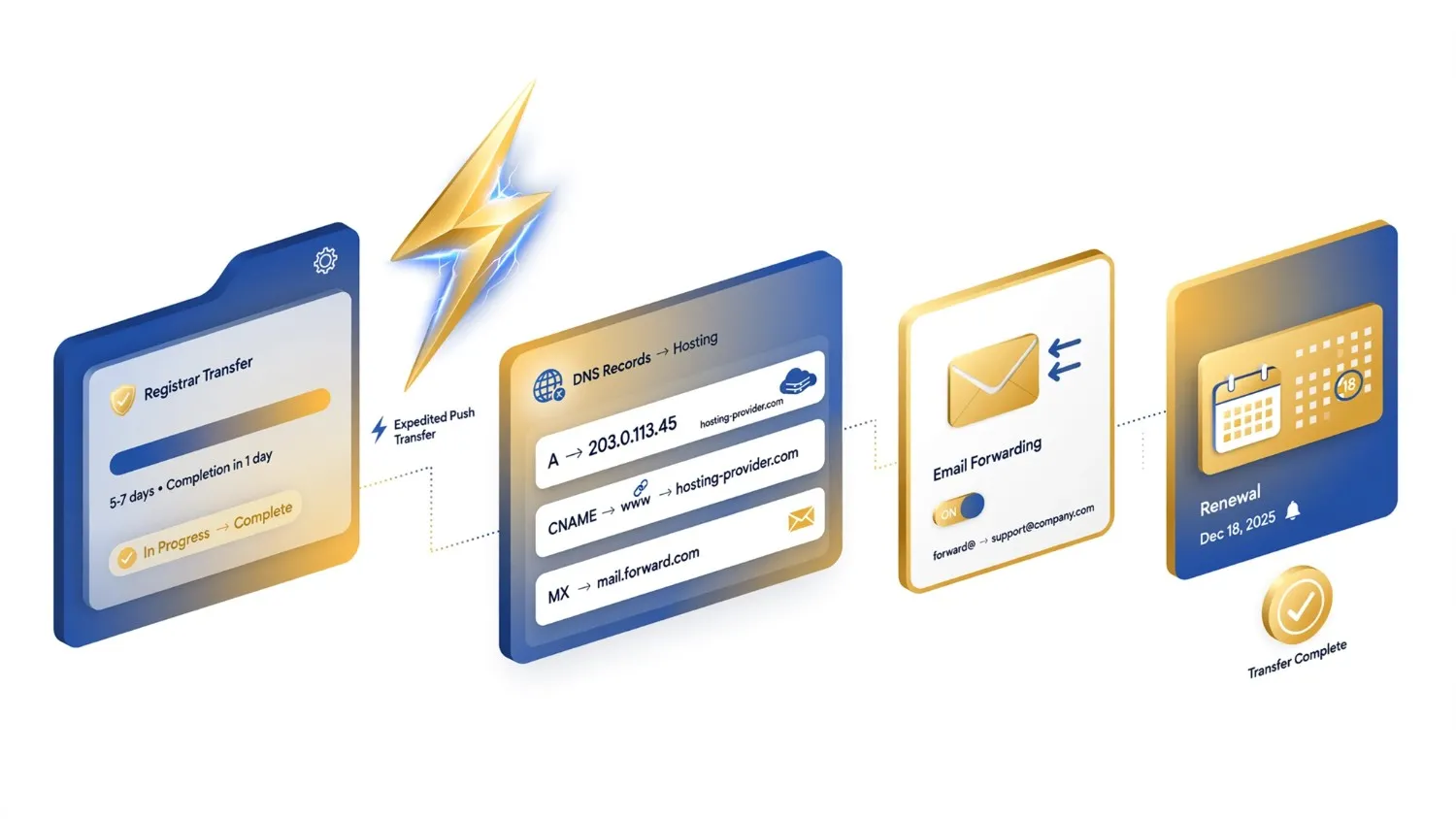
With the authorization code in hand, initiate the transfer at your preferred registrar. Standard transfers typically complete within 5 to 7 days, though some registrars offer expedited “push” transfers between accounts on the same platform, which can finish within hours.
After the transfer completes:
- Update DNS records to point to your hosting provider or website builder.
- Set up email forwarding or a dedicated mailbox on the new domain.
- Renew the domain for an additional term if the previous owner’s registration period is close to expiring.
Step 9: Verify Ownership Records and Complete a Post-Purchase Checklist
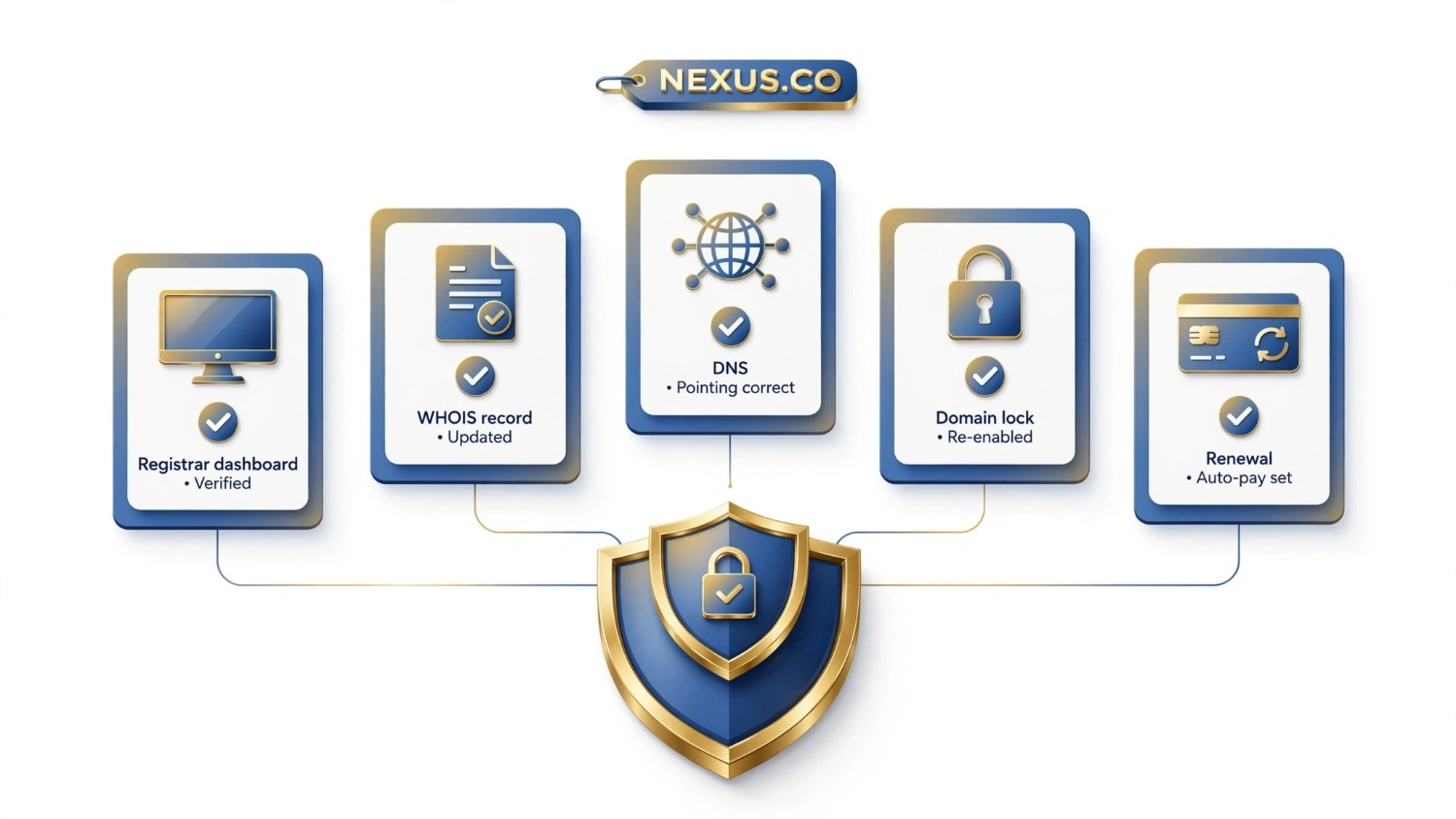
The final step is easy to overlook but protects the investment long-term. Confirm the domain now shows your details (or your business’s details) in the registrar’s account panel, and run a fresh WHOIS lookup to confirm the registrant record has updated.
A short post-purchase checklist:
- Domain shows correctly in your registrar dashboard.
- WHOIS record reflects new ownership (or privacy protection, if enabled).
- DNS records point to the correct hosting or website builder.
- Domain lock is re-enabled to prevent unauthorized future transfers.
- Renewal auto-pay is set up so the domain never lapses accidentally.
Common Mistakes When Buying a Short Domain
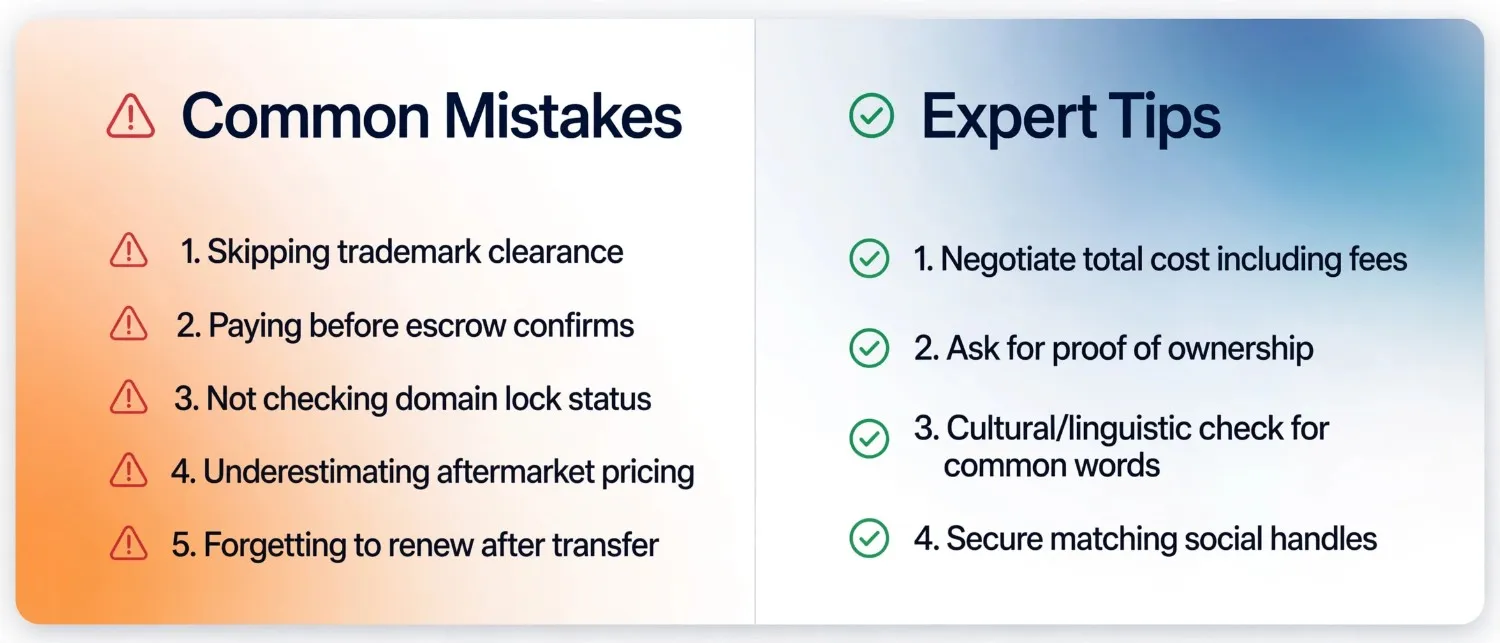
Even experienced buyers occasionally shortcut this process. The most frequent errors include:
- Skipping trademark clearance because the name “feels” original.
- Paying before escrow confirms, based purely on a seller’s reputation or marketplace rating.
- Not checking domain lock status before assuming the transfer will proceed smoothly.
- Underestimating aftermarket pricing, then walking away from a fair deal because it seems expensive compared with a fresh registration fee.
- Forgetting to renew immediately after transfer, risking accidental expiration during the ownership handover window.
Expert Tips for a Smoother Purchase
- Negotiate on total cost, not just the domain price. Escrow fees and transfer fees are sometimes split between buyer and seller and are worth clarifying upfront.
- Ask sellers for proof of ownership (a WHOIS screenshot or registrar account view) before sending any funds, even through escrow.
- If a five-letter name matches a common word in another language, run a quick cultural and linguistic check before finalizing the purchase.
- Consider securing matching social media handles at the same time you close the domain deal, since brand consistency across channels compounds in value.
Frequently Asked Questions
How long does it take to buy a 5-letter domain?
Once terms are agreed, escrow and transfer typically take between a few days and two weeks, depending on registrar processing times and whether the seller responds promptly to verification requests.
Is it safe to buy a 5-letter domain from a private seller?
Yes, provided the transaction runs through a licensed escrow service and you complete a WHOIS and ownership check before releasing funds. Direct wire transfers without escrow carry significant risk.
How do I know if a 5-letter domain price is fair?
Compare the asking price against recent comparable sales for domains with similar structure, extension, and pronounceability, rather than judging it against a standard registrar renewal fee.
Do I need a lawyer to check trademarks before buying?
Not always. A basic USPTO or WIPO search covers most straightforward cases, but if the name is close to an existing brand in your industry, a short consultation with a trademark attorney is a reasonable precaution.
What is the best domain extension for a 5-letter brand name?
“.com” remains the most broadly trusted and recognized extension, though “.io” and “.co” are widely accepted alternatives, particularly for technology and startup brands.
Can I negotiate the price of a 5-letter domain?
Yes. Aftermarket domain pricing is rarely fixed, and most sellers expect some back-and-forth before agreeing on a final number.
Conclusion
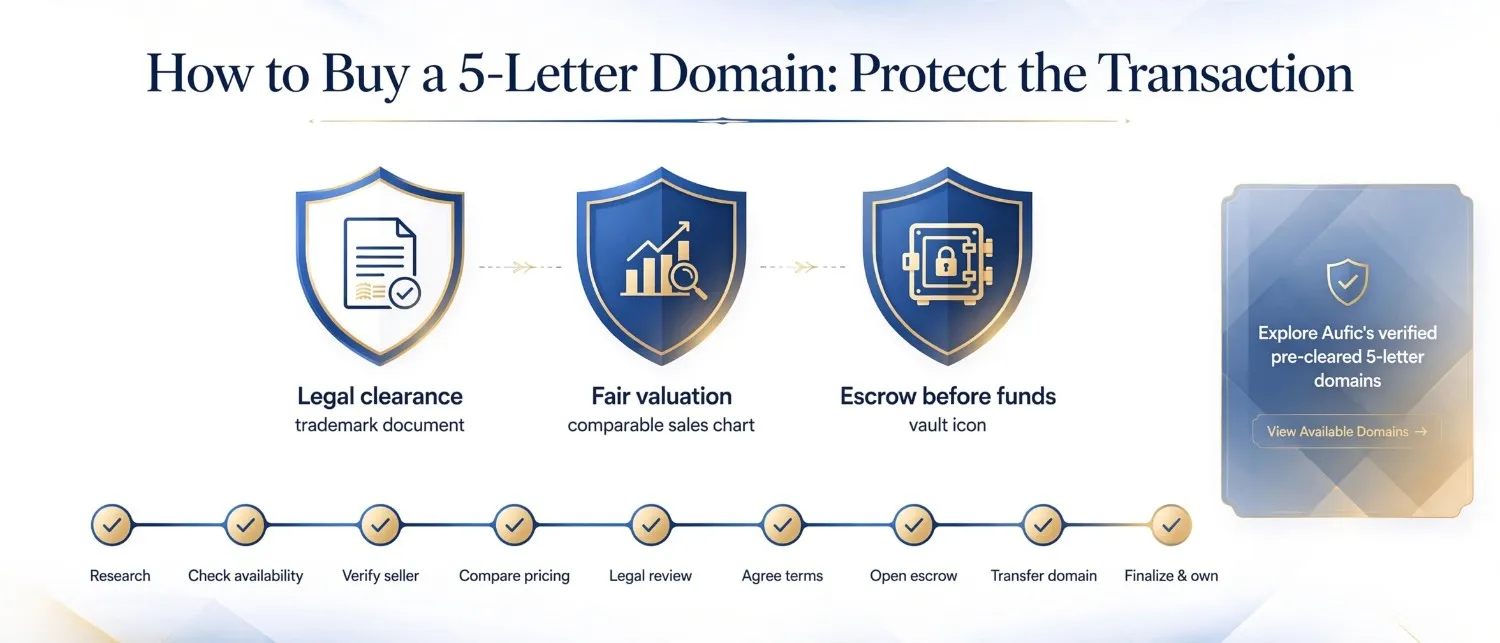
Knowing how to buy a 5 letter domain is less about finding the name and more about protecting the transaction once you have found it: verifying legal clearance, valuating fairly against comparable sales, and insisting on escrow before any funds move. Follow the nine steps above in order, and the process becomes routine rather than risky. When you are ready to start browsing verified, pre-cleared inventory, and shortlist the names that fit your brand criteria today.
Explore the Live Collection of Premium 5-Letter Domain Names →